iOS WebView Cookie Guide
Debugging iOS WebView Cookie and Login Issues
Login bugs in iOS WebView apps usually come from cookie scope, SameSite and Secure settings, native cookie synchronization, or stale browser storage. This guide gives you a repeatable workflow for finding where the session state breaks.
Quick answer: how to debug iOS WebView cookies
To debug iOS WebView cookie issues, compare Safari and WKWebView behavior on a real iPhone, inspect Set-Cookie response headers, verify Cookie Domain, Path, SameSite, Secure, and expiration values, then check whether app-side login setup writes or clears cookies before the page loads. Also inspect localStorage and sessionStorage because many mobile login flows split session state across cookies and browser storage.
Common symptoms
Move into a cookie-focused debugging flow when you see:
- The user logs in successfully but returns to the login page after a redirect.
- The same URL works in Safari but not inside the iOS app WebView.
- API calls return 401 or 403 only inside WKWebView.
- A session cookie is visible after login, then disappears after navigation.
- Login works on one subdomain but fails on another callback domain.
A practical cookie debugging workflow
1. Preserve the full login URL
Keep the original URL, query string, callback URL, OAuth state, and feature flags. Login bugs often start before cookies are written: the WebView may drop a callback parameter, open the wrong host, or enter a route that expects a different session key.
2. Inspect the first Set-Cookie response
Find the response that creates the session. Check the cookie name, value, Domain, Path, SameSite, Secure, HttpOnly, and expiration. If the Domain is too narrow, the callback domain may not receive the session. If SameSite is too strict, an OAuth or payment redirect may not include the cookie.
console.log('current url:', location.href);
console.log('visible cookies:', document.cookie);
console.log('local token:', localStorage.getItem('token'));
3. Compare Safari and WKWebView state
Safari and WKWebView can share WebKit behavior without sharing the same runtime state. Compare visible cookies, localStorage, sessionStorage, User-Agent, page-load headers, and the first authenticated API request in both environments.
4. Check native cookie timing
If the app writes cookies through native code, timing matters. The page may load before cookies are available, or the app may clear cookies when switching account, environment, or privacy mode. Reproduce the issue with a fresh app state and a known account.
5. Verify storage fallback
Many H5 apps store refresh tokens, user profile state, environment config, or login flags in localStorage. A cookie may be correct while a stale localStorage value still sends the page into the wrong login path.
Failure patterns to look for
| Symptom | Likely cause | Check |
|---|---|---|
| Login loops after OAuth | SameSite or callback domain mismatch | Set-Cookie attributes and callback URL |
| Works in Safari only | WKWebView cookie state differs from Safari | WebView cookies, storage, and User-Agent |
| Works after refresh | Native cookie write finished too late | Cookie creation timing before first request |
| Fails after account switch | Stale localStorage or old cookie remains | Cookies, localStorage, sessionStorage |
FAQ
Safari and WKWebView can have different cookie state, timing, and native synchronization behavior. Check Cookie Domain, Path, SameSite, Secure, expiration, and whether the app writes cookies before the WebView loads the page.
Start with the final URL, request headers, Set-Cookie response headers, document.cookie, localStorage, and the first API request that returns 401 or redirects to login.
Yes. You can open the same URL on a real iPhone, inspect and clear cookies or storage, set a WebView-like User-Agent, apply environment headers on page load, and test whether login state changes when the environment changes.
iOS WebView cookie debugging checklist
- Did the login response include the expected Set-Cookie header?
- Do Domain and Path cover the callback page and API host?
- Are SameSite and Secure compatible with the redirect flow?
- Does the first authenticated API request include the session cookie?
- Does native code write cookies before the WebView loads the page?
- Is stale localStorage or sessionStorage overriding the correct login state?
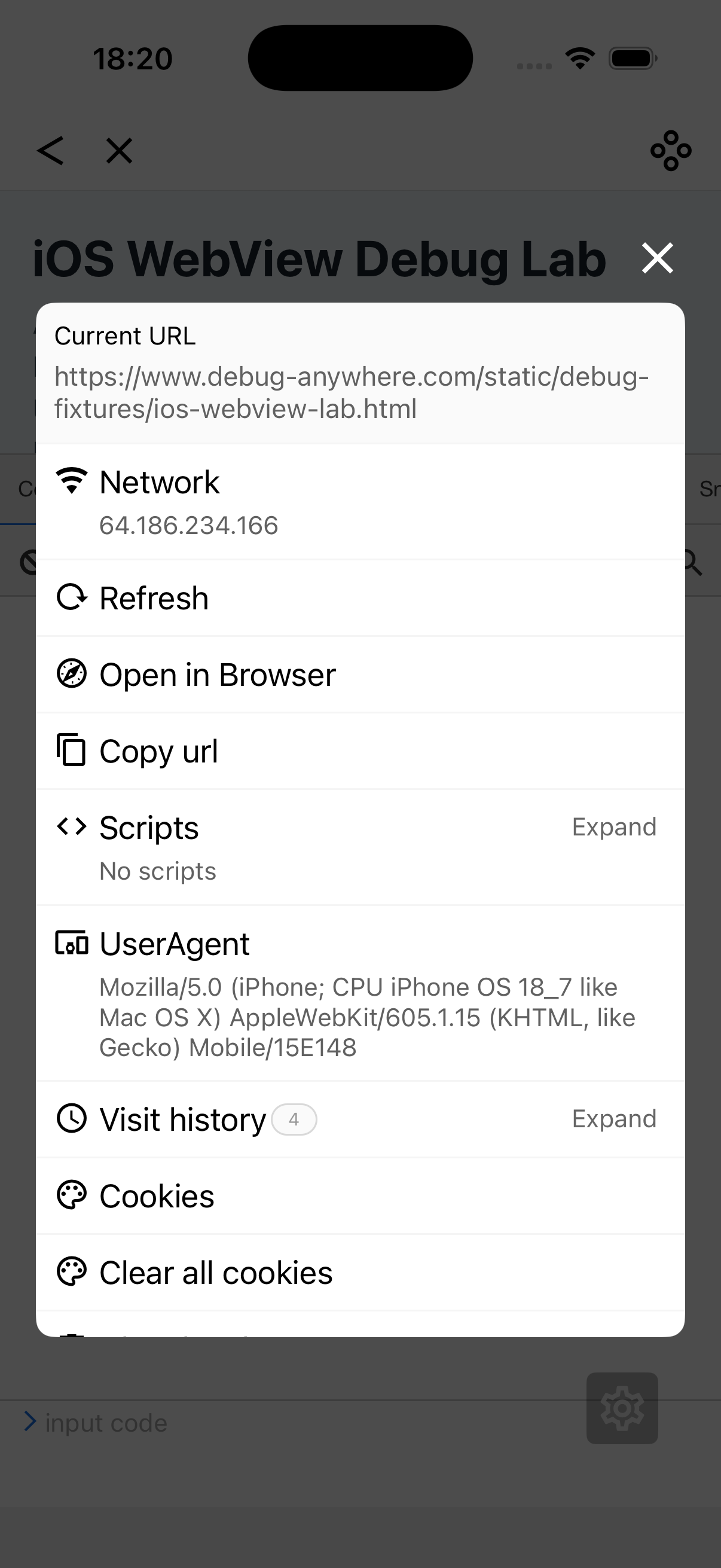
Inspect iOS WebView-like session state with DebugAnywhere
DebugAnywhere lets you open the target page on a real iPhone, inspect and clear cookies or storage, switch User-Agent, apply environment headers on page load, and validate login-state hypotheses before asking for host-app changes.