WebView Storage Debugging Guide
Debugging WebView localStorage and sessionStorage Issues
Storage bugs can make mobile pages look randomly broken: login state disappears, old feature flags stay active, cart data is stale, or a WebView behaves differently from Safari. This guide shows how to inspect, compare, clear, and reproduce storage state on real devices.
Quick answer: how do you debug WebView storage?
Debug WebView storage by recording the exact URL, account, runtime, and entry path, then inspecting localStorage and sessionStorage before and after the failing action. Compare Safari and WebView state, clear storage to test whether the bug is stale data, and check whether redirects, iframe origins, private browsing, or app-level WebView configuration change storage access.
When localStorage or sessionStorage is the suspect
- Login state disappears after WebView navigation or app restart.
- A page keeps using an old feature flag, tenant, locale, or API host.
- The same URL behaves differently in Safari and the app WebView.
- A multi-step checkout or form loses data after a redirect.
- Clearing site data fixes the bug once, but it returns later.
WebView storage debugging workflow
1. Identify the origin
Storage is scoped by origin. A change from https://m.example.com to https://www.example.com, or from HTTP to HTTPS, creates a different storage bucket. Confirm the final loaded URL before comparing values.
2. Capture storage before the action
Log keys and selected values before login, redirect, checkout, bridge call, or route change. This gives you a baseline and prevents the later state from rewriting the evidence.
console.log('localStorage', Object.keys(localStorage).reduce((map, key) => {
    map[key] = localStorage.getItem(key);
    return map;
}, {}));
console.log('sessionStorage keys', Object.keys(sessionStorage));
3. Reproduce and capture storage again
After the failing action, capture the same keys. Look for missing tokens, stale config, overwritten flags, values from another account, or JSON parse errors caused by old data formats.
4. Clear only the state you are testing
Clearing everything can hide the real dependency. Start by removing the suspicious key, then clear sessionStorage, then localStorage, then cookies if needed.
5. Compare Safari and WebView
If Safari works but the WebView fails, compare storage values, cookie state, User-Agent branches, and whether the app injects scripts that write storage during page load.
Useful storage debugging snippets
Dump storage as JSON
function dumpStorage(storage) {
    return Object.keys(storage).reduce((result, key) => {
        result[key] = storage.getItem(key);
        return result;
    }, {});
}
console.log('localStorage', dumpStorage(localStorage));
console.log('sessionStorage', dumpStorage(sessionStorage));
Remove one suspicious key
localStorage.removeItem('debug_flag');
sessionStorage.removeItem('checkout_step');
location.reload();
Common storage failure patterns
| Symptom | Likely cause | What to check |
|---|---|---|
| Value missing after redirect | Different origin or sessionStorage reset | Final URL, protocol, domain, and redirect path |
| Old UI keeps showing | Stale feature flag or cached config | Config keys and update timestamp |
| Only WebView fails | Injected script, UA branch, or WebView data store difference | Compare Safari and WebView storage dumps |
| JSON parse error | Old stored value has incompatible shape | Stored value version and migration logic |
WebView storage debugging checklist
- Did you confirm the exact final origin?
- Did you capture storage before and after the failing action?
- Is the value missing, stale, overwritten, or from another account?
- Does clearing one key change the behavior?
- Do Safari and the WebView have different storage state?
- Could cookies or User-Agent branches be changing the storage logic?
Inspect mobile storage with DebugAnywhere
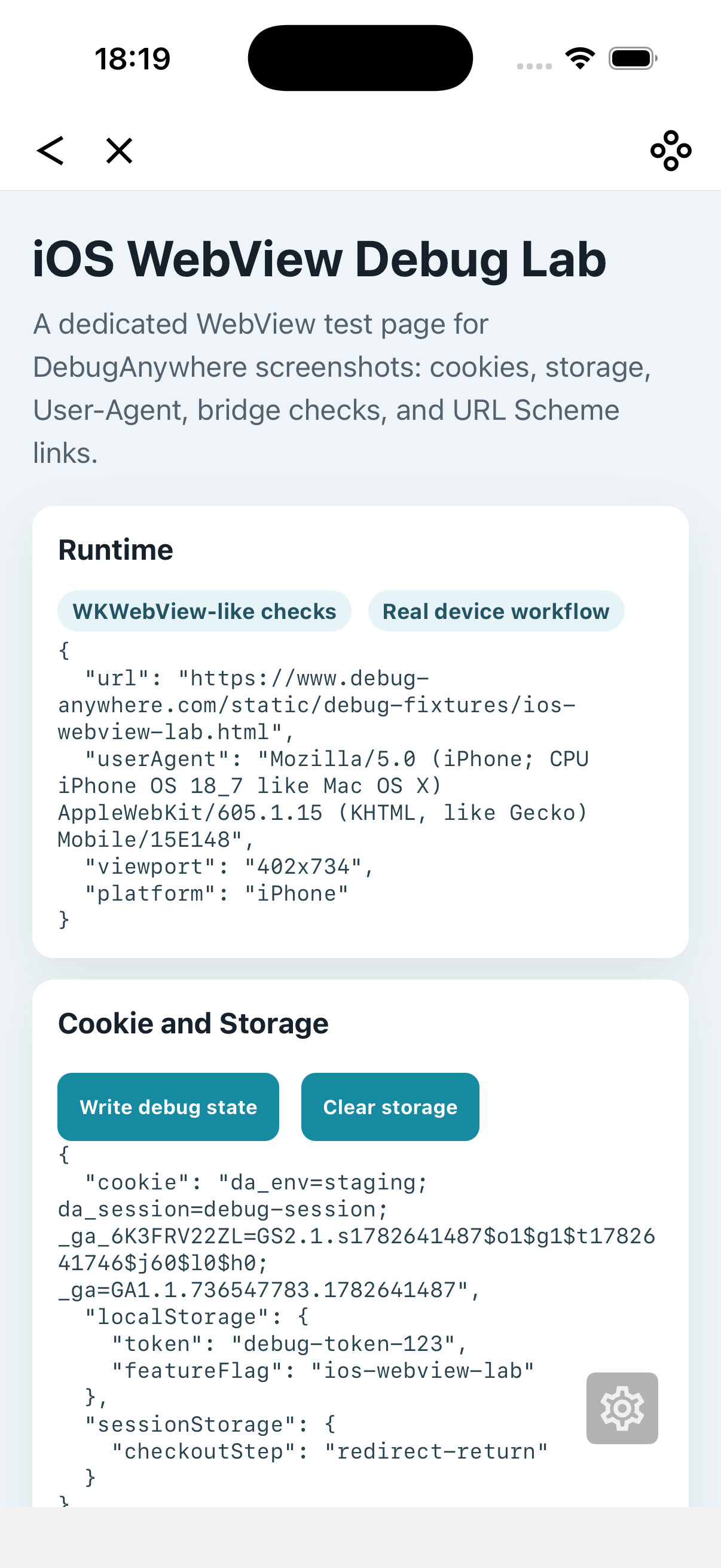
DebugAnywhere helps you reproduce storage issues on real devices, inspect localStorage and sessionStorage, clear state, compare WebView-like behavior, inject focused scripts, and capture the runtime evidence needed to fix the bug.